
As your email traffic increases, relying on a single IP may no longer be enough. Reputation issues can also arise, causing providers like Yahoo to temporarily defer or reject your messages. Or you may need to manage multiple email streams independently.
That’s where Smart Routing comes in. It gives you greater control over how TurboSMTP routes your email traffic, allowing you to adapt your sending routes to different needs and delivery conditions. And with our team supporting your routing setup and management, you’re never on your own.
How Smart Routing works
Even senders with a strong reputation can experience temporary deliverability issues.
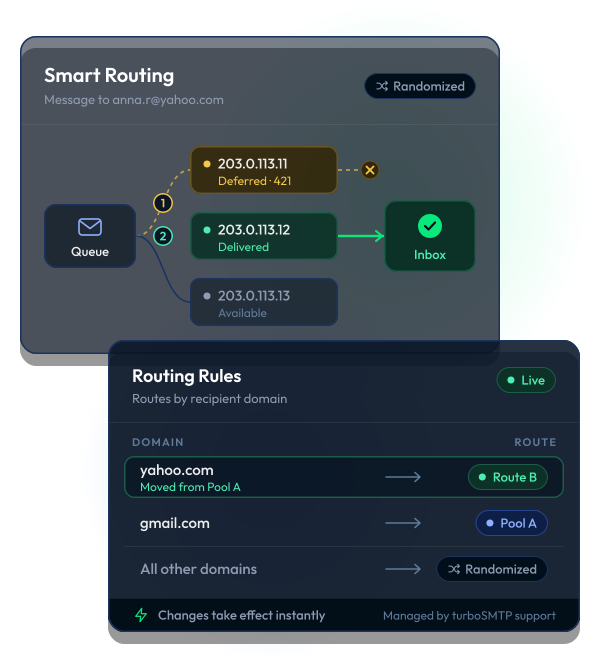
Smart Routing randomly distributes delivery attempts across multiple IP addresses. If one IP starts experiencing deferrals, the next attempt can be made through another IP, without requiring you to manually request an IP change.
When delivery issues affect specific domains, you can fine-tune your routing rules to redirect only the affected domains through Smart Routing routes that are achieving better delivery results.
Configuration changes take effect immediately, giving you the flexibility to respond quickly as delivery conditions evolve.
What can you do with routing rules?
Combined with TurboSMTP’s other features, Smart Routing helps you improve email deliverability and increase your chances of reaching the inbox.
How to enable Smart Routing
Get in touch with our support team to request Smart Routing activation for your account.



