
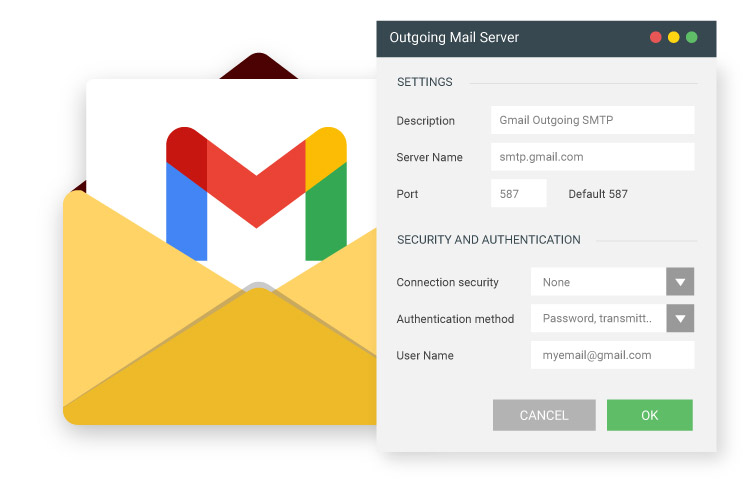
When configuring an email client or website, the most important detail is the Gmail outgoing mail server.
Below you’ll find the correct SMTP server name, ports, encryption settings, and authentication requirements updated for 2026.
For full step-by-step configuration instructions, see our complete Gmail SMTP configuration guide.
Gmail Outgoing SMTP Server Settings (Quick Reference)
| Setting | Value |
|---|---|
| Outgoing Mail Server | smtp.gmail.com |
| Port (TLS) | 587 |
| Port (SSL) | 465 |
| Authentication | Required |
| Encryption | TLS or SSL |
| Username | Your full Gmail address |
| Password | App Password (2-Step Verification required) |
What Is the Gmail Outgoing Mail Server?
The Gmail outgoing mail server is the SMTP server responsible for sending emails from your email client, application, or website.
For Gmail accounts, the official outgoing SMTP server is:
smtp.gmail.com
It supports both TLS (port 587) and SSL (port 465) connections.
If authentication fails, make sure you are using an App Password and that 2-Step Verification is enabled.👉 For full setup instructions, read our complete Gmail SMTP configuration guide.
When Gmail Outgoing Mail Server Does Not Work
Even if the SMTP server is correct, sending may fail due to:
- Authentication errors
- Disabled 2-Step Verification
- Daily sending limits exceeded
- Temporary Google security blocks
If you cannot send emails, see: 👉 Gmail SMTP not working – troubleshooting guide
Gmail Outgoing Mail Server Sending Limits
The Gmail outgoing mail server is subject to strict daily limits:
- 500 emails/day (standard Gmail)
- Up to 2,000 emails/day (Google Workspace)
Exceeding these limits may result in temporary blocks.For detailed limits and restrictions, see: 👉 Gmail SMTP sending limits explained
Gmail Outgoing SMTP FAQs
What is the Gmail outgoing mail server?
The official Gmail outgoing mail server is smtp.gmail.com.
It requires authentication and supports TLS (port 587) and SSL (port 465).Which port should I use for Gmail outgoing mail?
Port 587 (TLS) is the recommended option for most email clients and applications.
Port 465 (SSL) is also supported but generally used for legacy configurations.