
Kennisbank
13. I want to change my plan. Can I do it?
You can order a new plan by following the steps below:
1. Log in to your dashboard.
2. Click on your name in the top right corner of the screen and select "My Products" from the dropdown menu.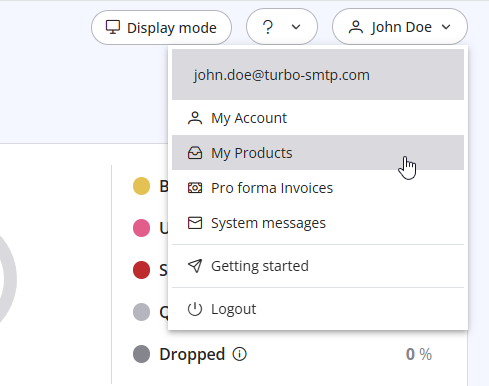
3. Click "Order New Plan" to proceed. 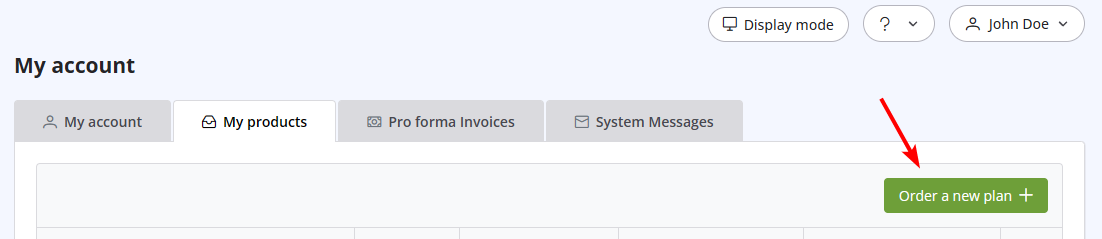
Lees ook
32. Yahoo emails in queue with high complain rate error
(Bekeken: 709465)
32. Yahoo emails in queue with high complain rate error (Bekeken: 709465)
11. Can I use as a sender a different email address from the one I subscribed with? (Bekeken: 911062)
22. Why my emails are going to the spam folder?
(Bekeken: 1510235)
22. Why my emails are going to the spam folder? (Bekeken: 1510235)
33. What is Smart Routing?
(Bekeken: 410184)
33. What is Smart Routing? (Bekeken: 410184)
|
|

