
Bilgi Merkezi
17. How do I keep track of sent emails?
With turboSMTP you can keep track of everything happens to your sent messages (delivery, bounce, opening, spam complaint etc.).
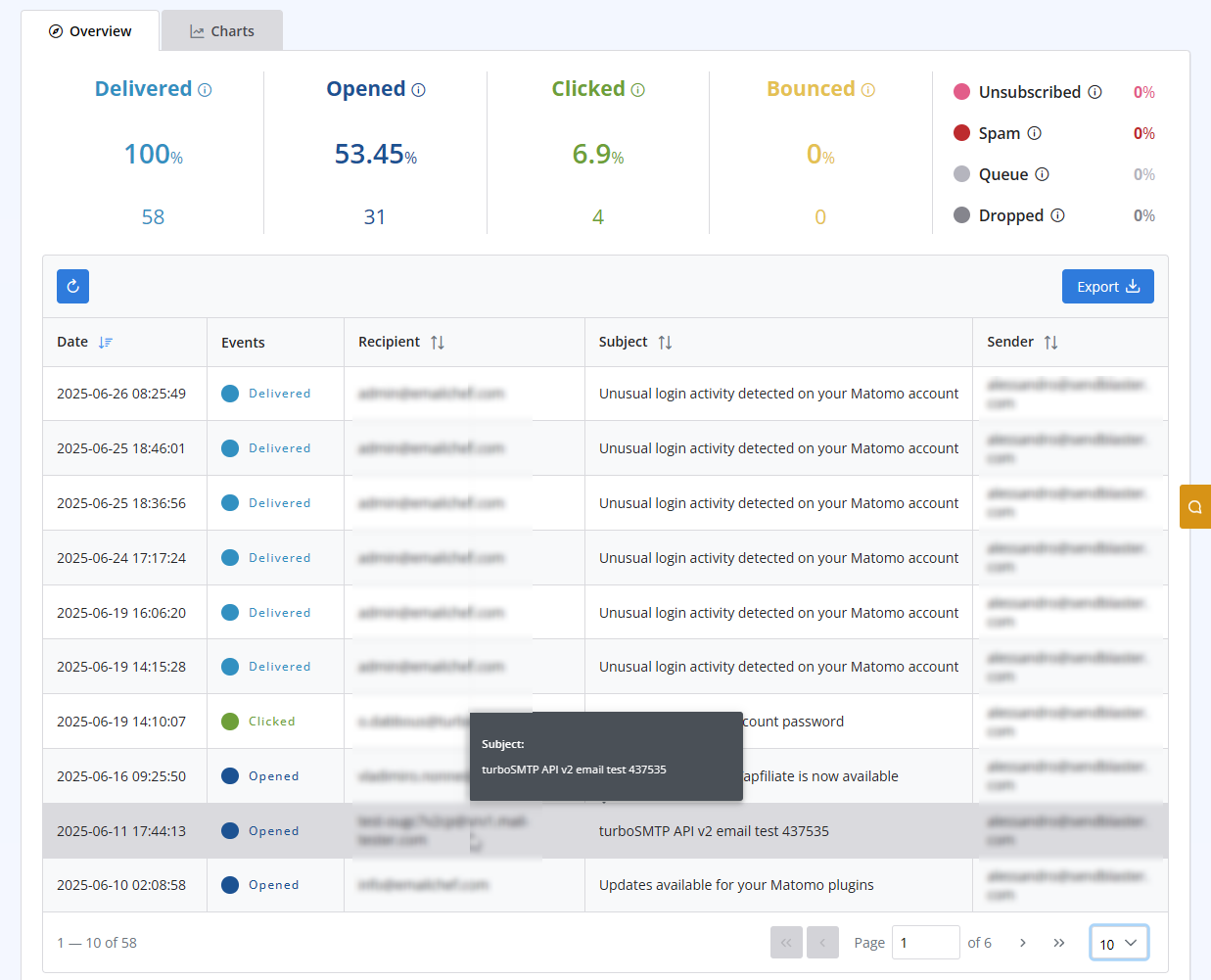
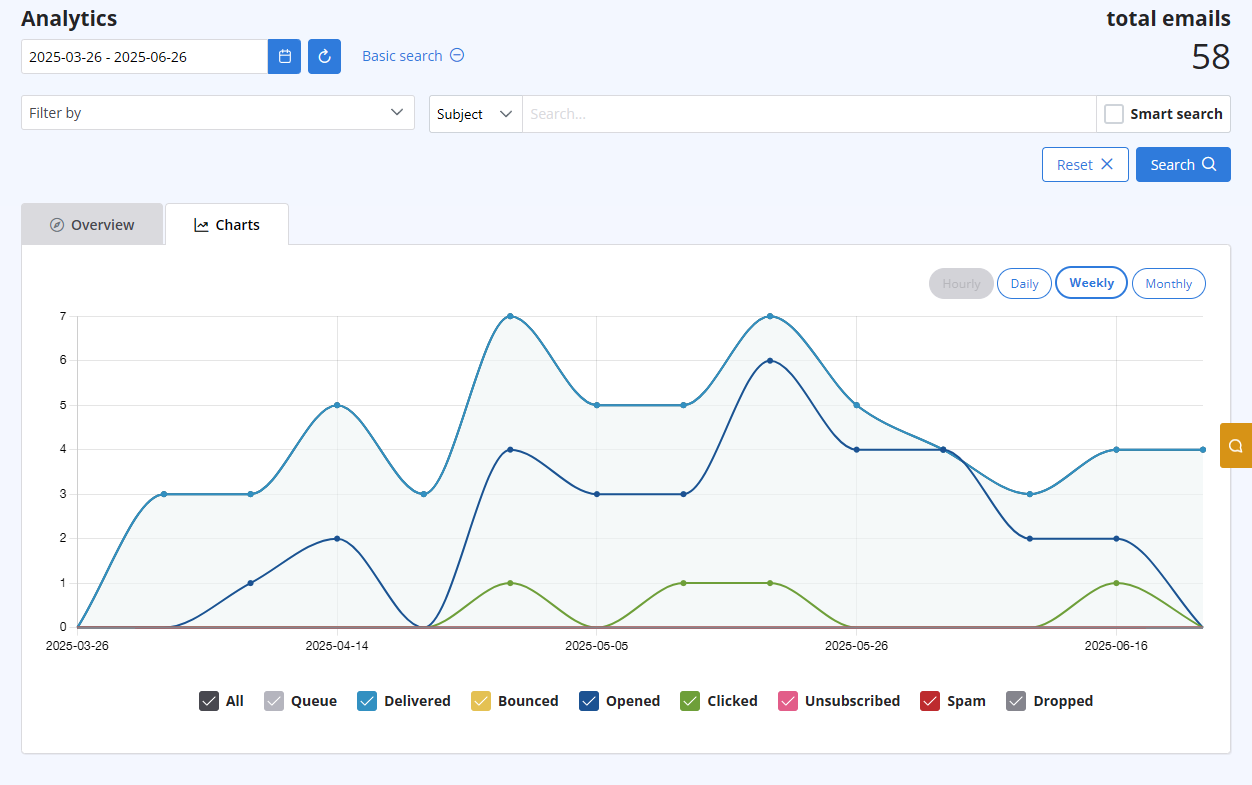
After logging in to your advanced client area, select the "Statistics" menu. You will get both a chart visualizing the behaviour of all your sent emails, and a list with all details recipient by recipient. Both are updated in real-time.
The list includes the following information:
- Subject
- Sender ("From" email address)
- Recipient "To", "cc", "Bcc" email address)
- Time (Date & Time received by our servers)
- Status (Queued - Delivered - Opened - Clicked - Unsubscribed - Spam - Bounce - Dropped).
Also Read
40. Anti-Spam Policy
(Görüntülenme: 1388269)
40. Anti-Spam Policy (Görüntülenme: 1388269)
22. Why my emails are going to the spam folder?
(Görüntülenme: 1716968)
22. Why my emails are going to the spam folder? (Görüntülenme: 1716968)
28. The string ”user = @ user.com turbo-smtp.com; On behalf of; <user@userdomain.com>”, appears in recipient's sender field . What does it mean? (Görüntülenme: 1400544)
10. Is the email address with which I signed up the only one that I can use as a sender?
(Görüntülenme: 988626)
10. Is the email address with which I signed up the only one that I can use as a sender? (Görüntülenme: 988626)
41. Privacy Policy
(Görüntülenme: 1548490)
41. Privacy Policy (Görüntülenme: 1548490)
|
|

