
Bilgi Merkezi
17. How do I keep track of sent emails?
With turboSMTP you can keep track of everything happens to your sent messages (delivery, bounce, opening, spam complaint etc.).
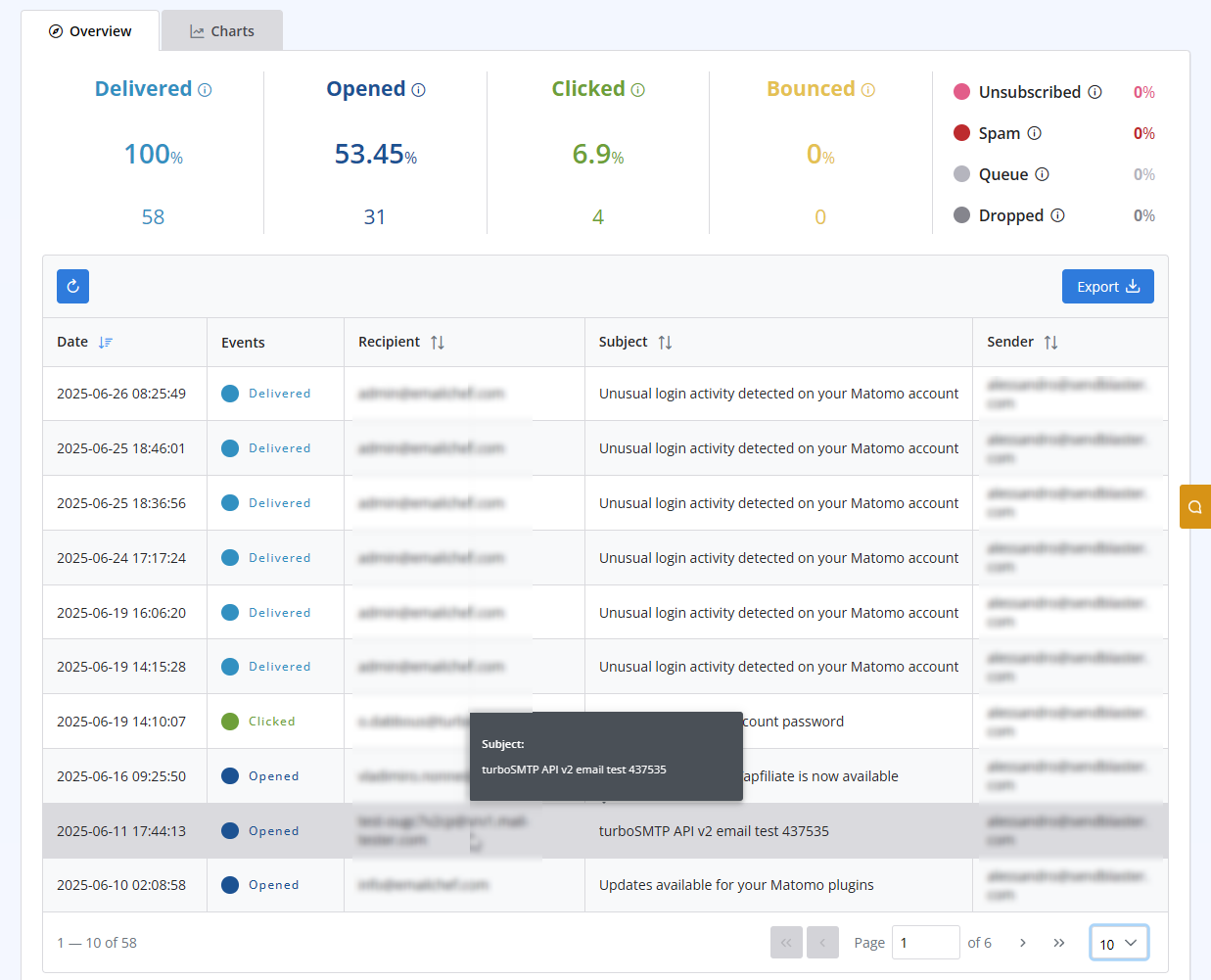
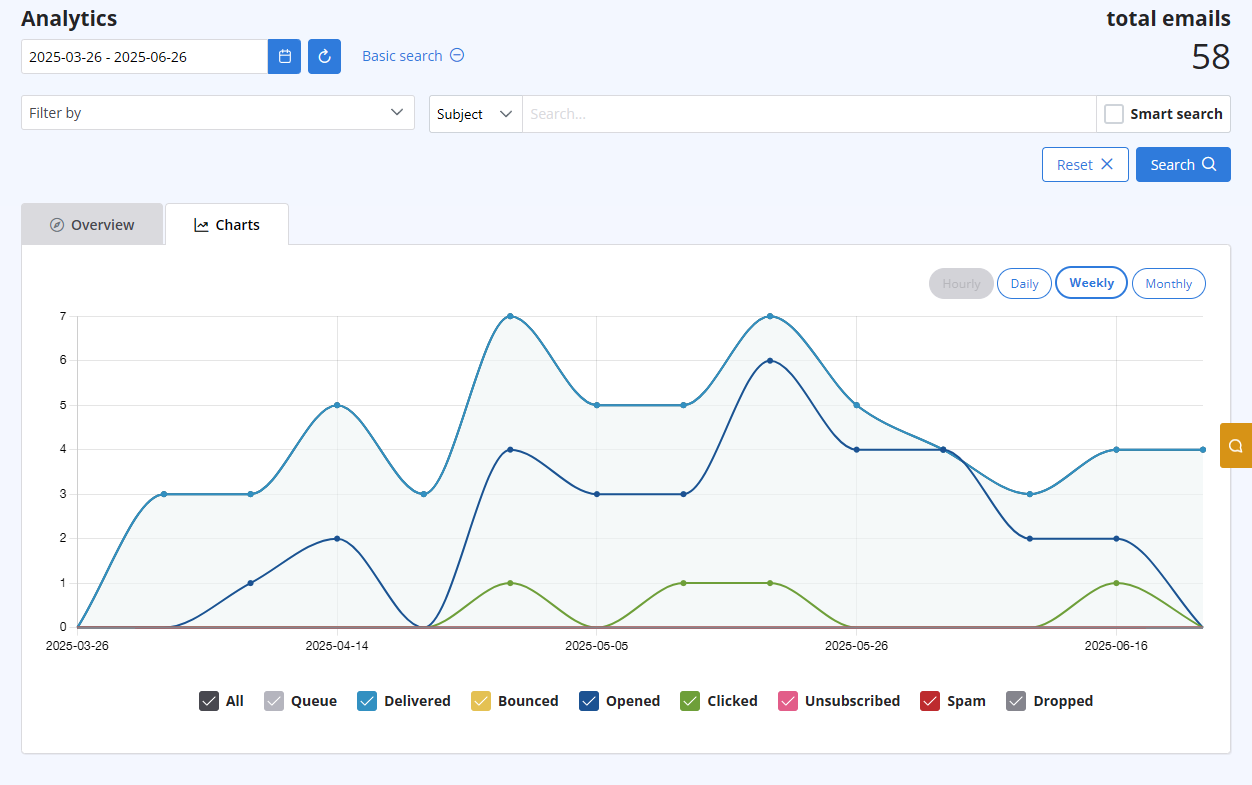
After logging in to your advanced client area, select the "Statistics" menu. You will get both a chart visualizing the behaviour of all your sent emails, and a list with all details recipient by recipient. Both are updated in real-time.
The list includes the following information:
- Subject
- Sender ("From" email address)
- Recipient "To", "cc", "Bcc" email address)
- Time (Date & Time received by our servers)
- Status (Queued - Delivered - Opened - Clicked - Unsubscribed - Spam - Bounce - Dropped).
Also Read
22. Why my emails are going to the spam folder?
(Görüntülenme: 664801)
22. Why my emails are going to the spam folder? (Görüntülenme: 664801)
30. Can I use turboSMTP with Outlook or Thunderbird and send a mass email via CC/BCC?
(Görüntülenme: 362729)
30. Can I use turboSMTP with Outlook or Thunderbird and send a mass email via CC/BCC? (Görüntülenme: 362729)
37. I just purchased a monthly plan/prepaid but I can't send emails. Why?
(Görüntülenme: 737863)
37. I just purchased a monthly plan/prepaid but I can't send emails. Why? (Görüntülenme: 737863)
2. Which email clients are compatible with turboSMTP?
(Görüntülenme: 691366)
2. Which email clients are compatible with turboSMTP? (Görüntülenme: 691366)
15. Aylık planımı iptal ettirirsem ne olur?
(Görüntülenme: 739171)
15. Aylık planımı iptal ettirirsem ne olur? (Görüntülenme: 739171)
|
|

