
База знаний
17. How do I keep track of sent emails?
With turboSMTP you can keep track of everything happens to your sent messages (delivery, bounce, opening, spam complaint etc.).
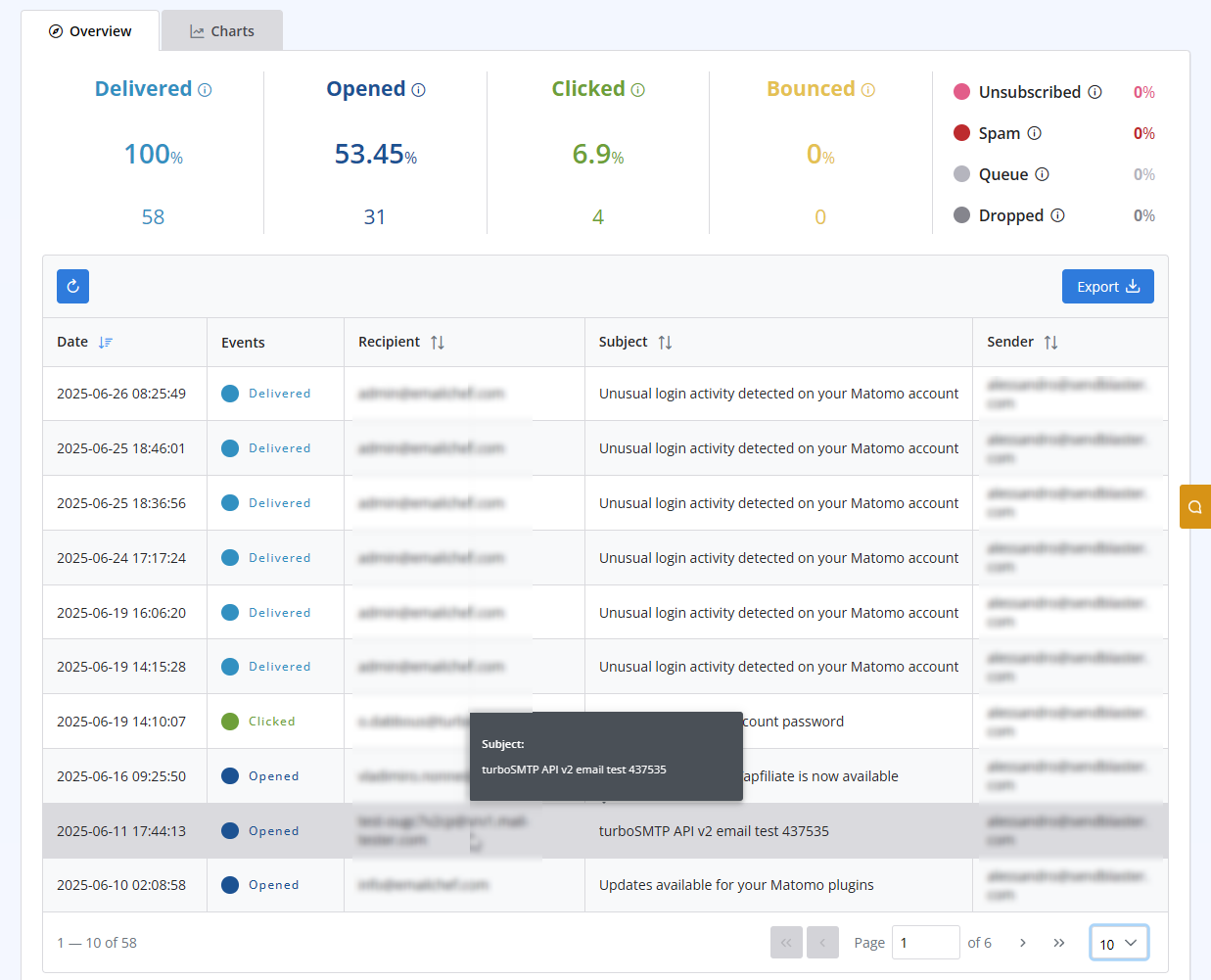
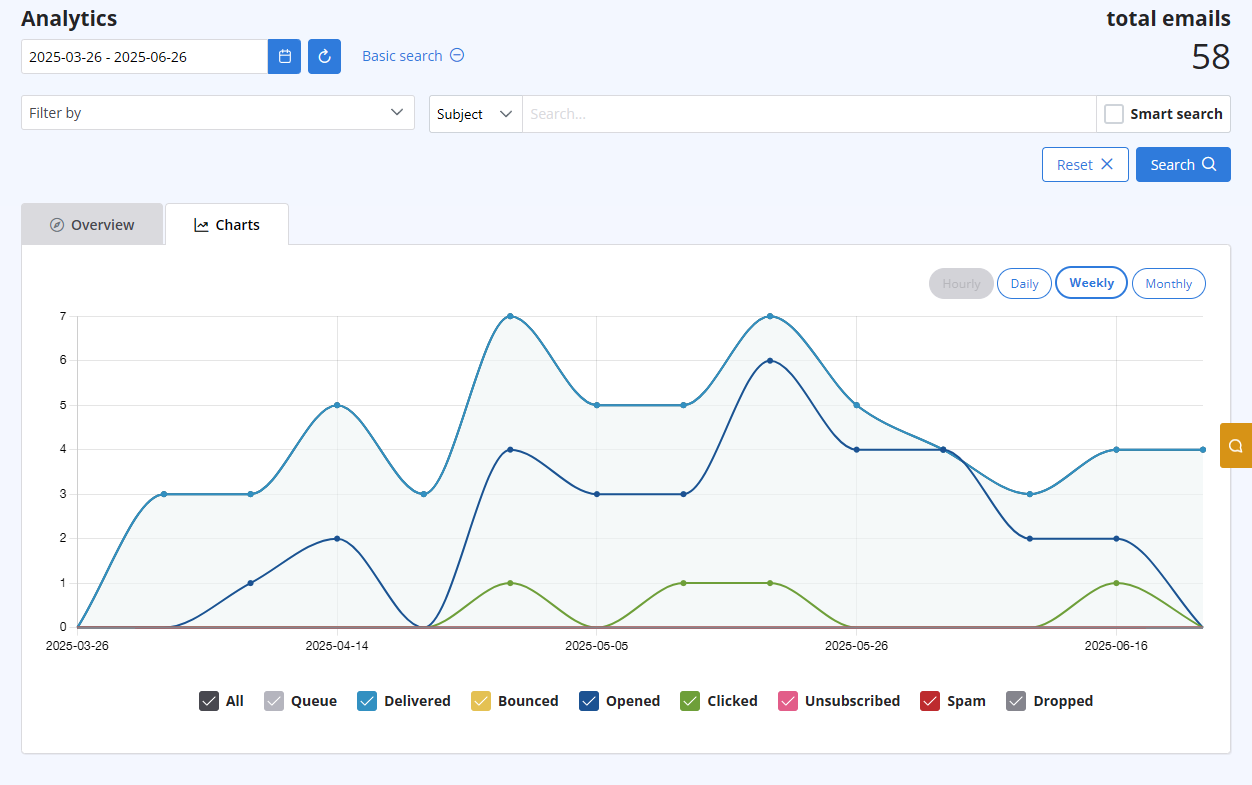
After logging in to your advanced client area, select the "Statistics" menu. You will get both a chart visualizing the behaviour of all your sent emails, and a list with all details recipient by recipient. Both are updated in real-time.
The list includes the following information:
- Subject
- Sender ("From" email address)
- Recipient "To", "cc", "Bcc" email address)
- Time (Date & Time received by our servers)
- Status (Queued - Delivered - Opened - Clicked - Unsubscribed - Spam - Bounce - Dropped).
Также читают
37. I just purchased a monthly plan/prepaid but I can't send emails. Why?
(просмотров: 738140)
37. I just purchased a monthly plan/prepaid but I can't send emails. Why? (просмотров: 738140)
6. Is the Free Trial automatically activated to all new accounts?
(просмотров: 397523)
6. Is the Free Trial automatically activated to all new accounts? (просмотров: 397523)
10. Is the email address with which I signed up the only one that I can use as a sender? (просмотров: 381981)
20. My VAT number is not recognized when I pay using 2Checkout. Why?
(просмотров: 442610)
20. My VAT number is not recognized when I pay using 2Checkout. Why? (просмотров: 442610)
40. Anti-Spam Policy
(просмотров: 720794)
40. Anti-Spam Policy (просмотров: 720794)
|
|

