
Knowledgebase
13. I want to change my plan. Can I do it?
You can order a new plan by following the steps below:
1. Log in to your dashboard.
2. Click on your name in the top right corner of the screen and select "My Products" from the dropdown menu.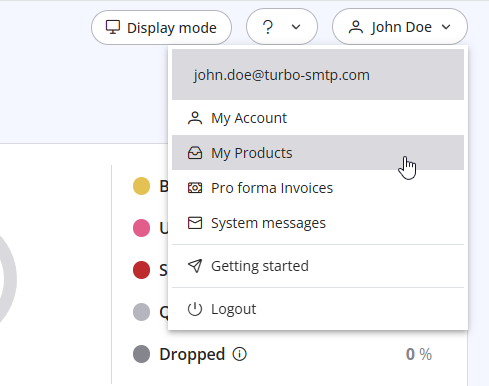
3. Click "Order New Plan" to proceed. 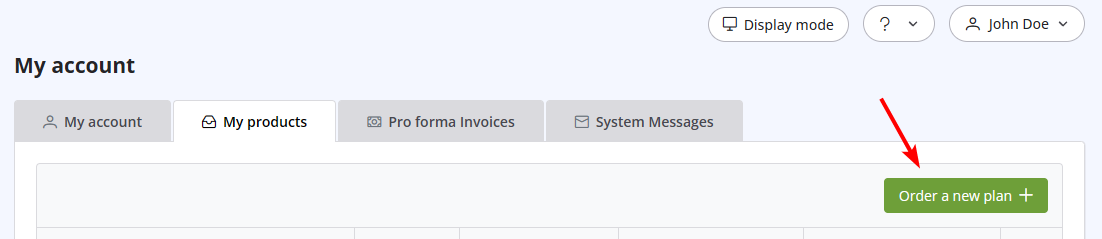
Also Read
3. Can I use turboSMTP when I'm travelling abroad/overseas?
(Views: 1470663)
3. Can I use turboSMTP when I'm travelling abroad/overseas? (Views: 1470663)
6. Is the Free Trial automatically activated to all new accounts?
(Views: 1023766)
6. Is the Free Trial automatically activated to all new accounts? (Views: 1023766)
41. Privacy Policy
(Views: 1545549)
41. Privacy Policy (Views: 1545549)
31. How can I get notified of my bounce?
(Views: 957018)
31. How can I get notified of my bounce? (Views: 957018)
42. Terms and Conditions
(Views: 1348317)
42. Terms and Conditions (Views: 1348317)
|
|

