
Hjälpcentral
13. I want to change my plan. Can I do it?
You can order a new plan by following the steps below:
1. Log in to your dashboard.
2. Click on your name in the top right corner of the screen and select "My Products" from the dropdown menu.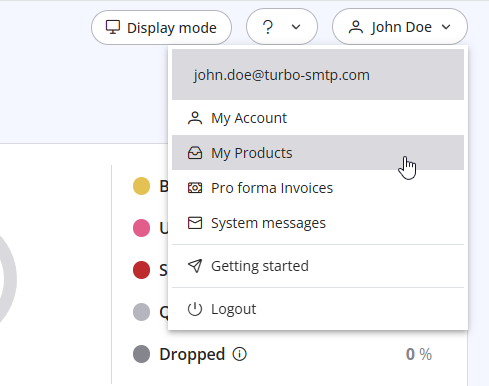
3. Click "Order New Plan" to proceed. 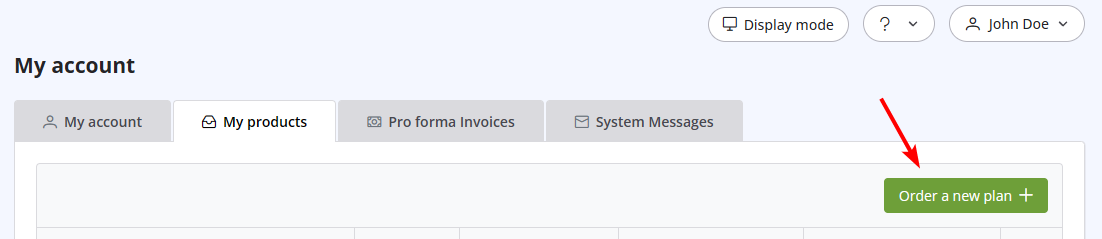
Läs även
17. How do I keep track of sent emails?
(Visningar: 1548810)
17. How do I keep track of sent emails? (Visningar: 1548810)
38. I have renewed my plan, but the email counter hasn't updated yet. Why?
(Visningar: 1113486)
38. I have renewed my plan, but the email counter hasn't updated yet. Why? (Visningar: 1113486)
8. Can I manage my account online?
(Visningar: 1432652)
8. Can I manage my account online? (Visningar: 1432652)
2. Which email clients are compatible with turboSMTP?
(Visningar: 1296685)
2. Which email clients are compatible with turboSMTP? (Visningar: 1296685)
42. Terms and Conditions
(Visningar: 1299527)
42. Terms and Conditions (Visningar: 1299527)
|
|

