
Hjälpcentral
17. How do I keep track of sent emails?
With turboSMTP you can keep track of everything happens to your sent messages (delivery, bounce, opening, spam complaint etc.).
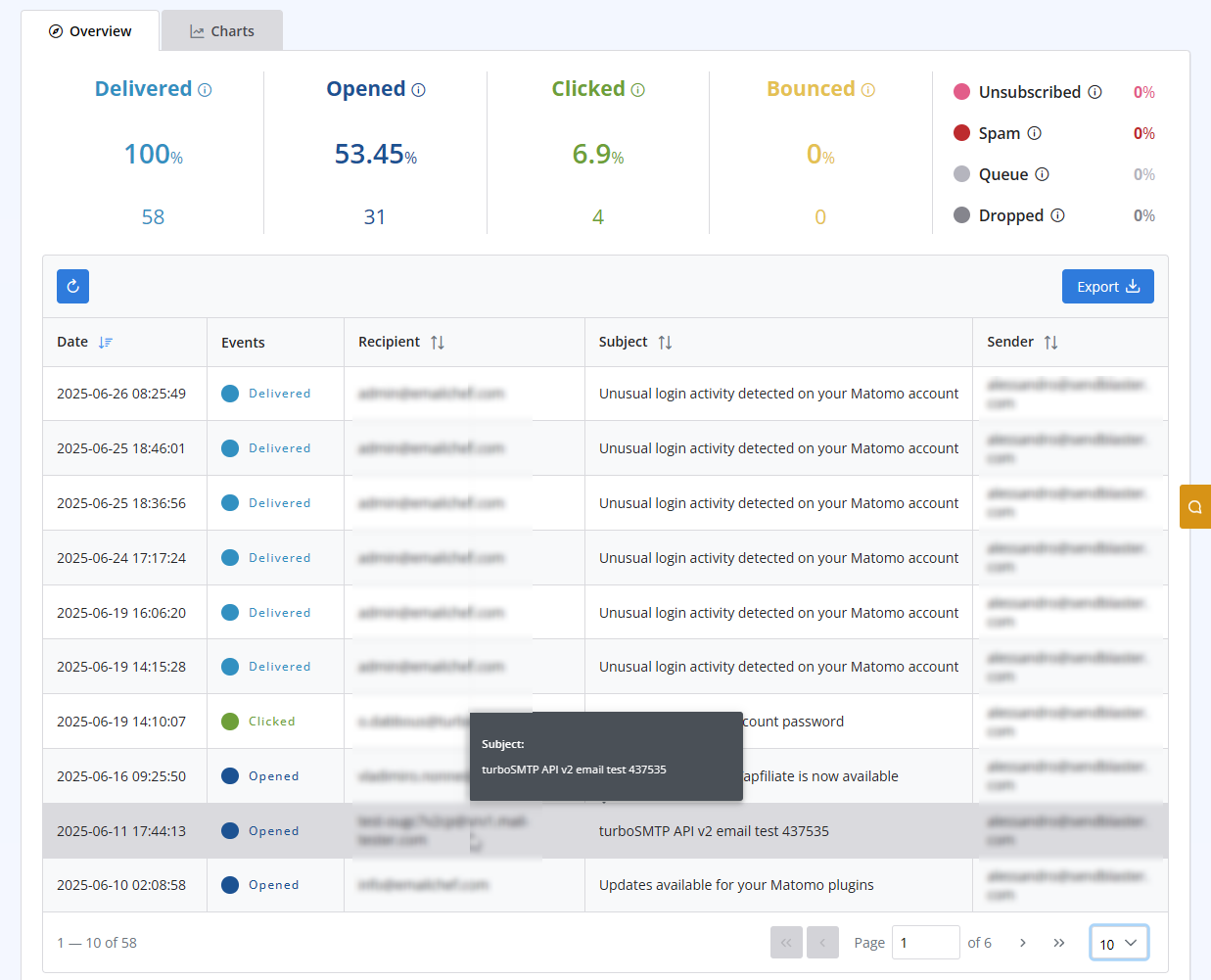
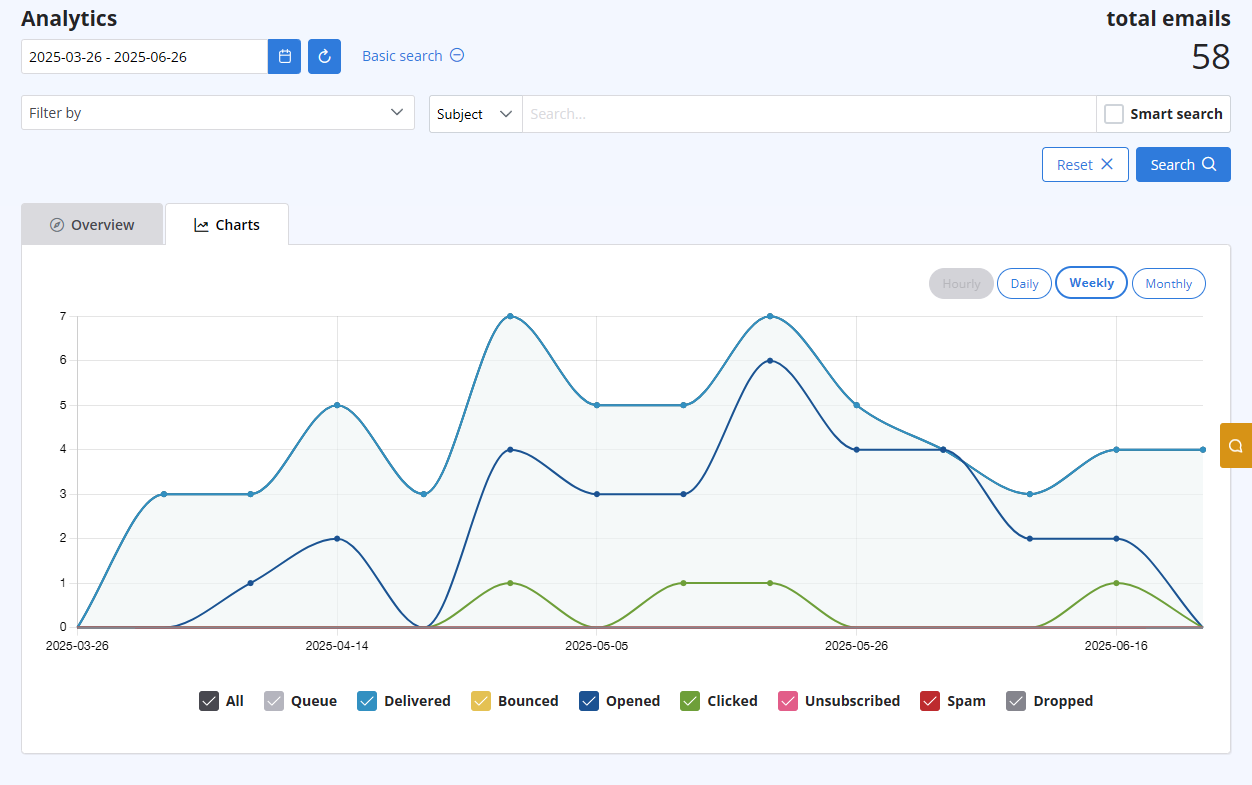
After logging in to your advanced client area, select the "Statistics" menu. You will get both a chart visualizing the behaviour of all your sent emails, and a list with all details recipient by recipient. Both are updated in real-time.
The list includes the following information:
- Subject
- Sender ("From" email address)
- Recipient "To", "cc", "Bcc" email address)
- Time (Date & Time received by our servers)
- Status (Queued - Delivered - Opened - Clicked - Unsubscribed - Spam - Bounce - Dropped).
Läs även
11. Can I use as a sender a different email address from the one I subscribed with? (Visningar: 939989)
6. Is the Free Trial automatically activated to all new accounts?
(Visningar: 1025797)
6. Is the Free Trial automatically activated to all new accounts? (Visningar: 1025797)
26. Can I configure my DKIM, DMARC and SPF to get the highest delivery rates?
(Visningar: 22243679)
26. Can I configure my DKIM, DMARC and SPF to get the highest delivery rates? (Visningar: 22243679)
33. What is Smart Routing?
(Visningar: 420671)
33. What is Smart Routing? (Visningar: 420671)
1. What is turboSMTP?
(Visningar: 1520259)
1. What is turboSMTP? (Visningar: 1520259)
|
|

