
Baza wiedzy
17. How do I keep track of sent emails?
With turboSMTP you can keep track of everything happens to your sent messages (delivery, bounce, opening, spam complaint etc.).
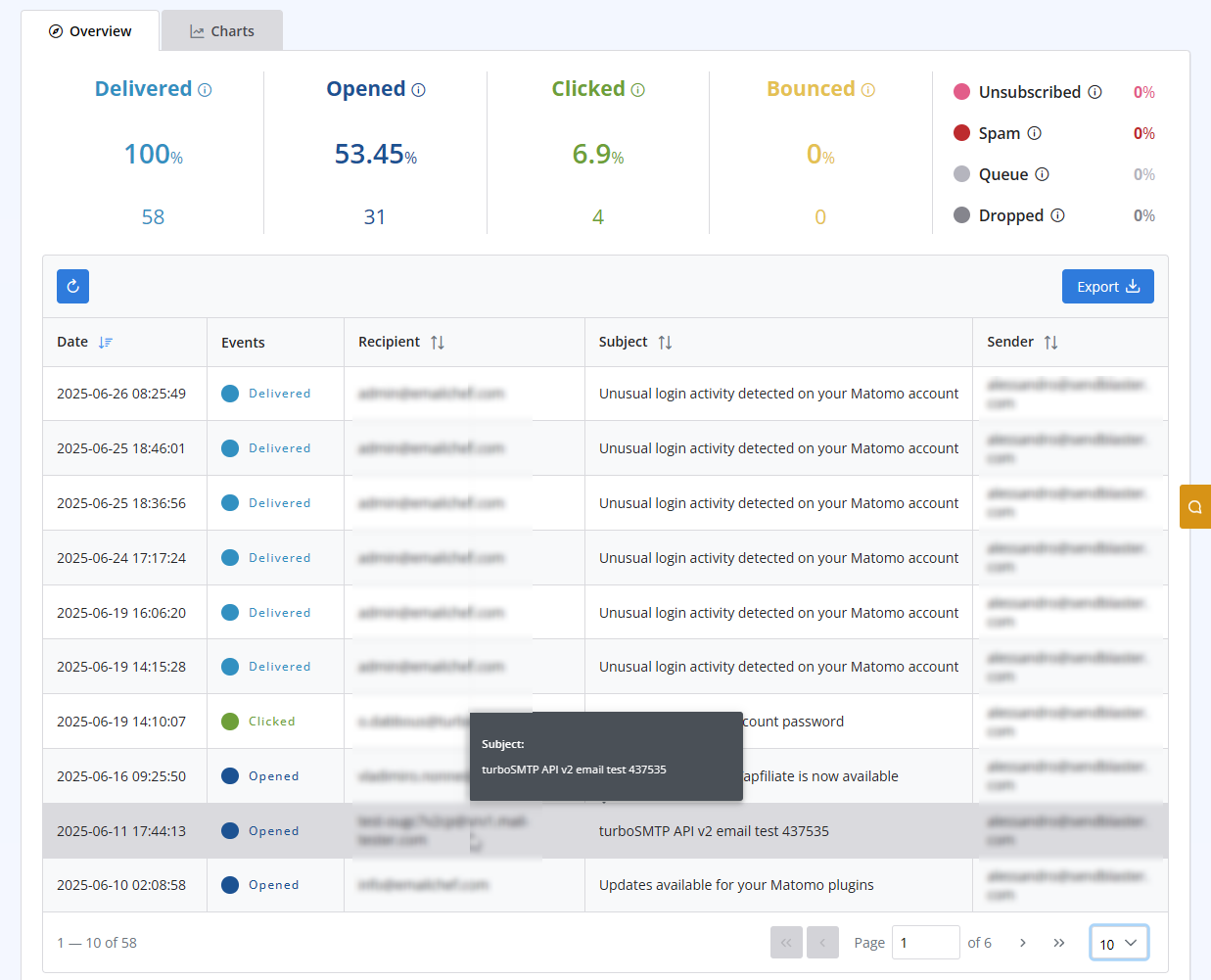
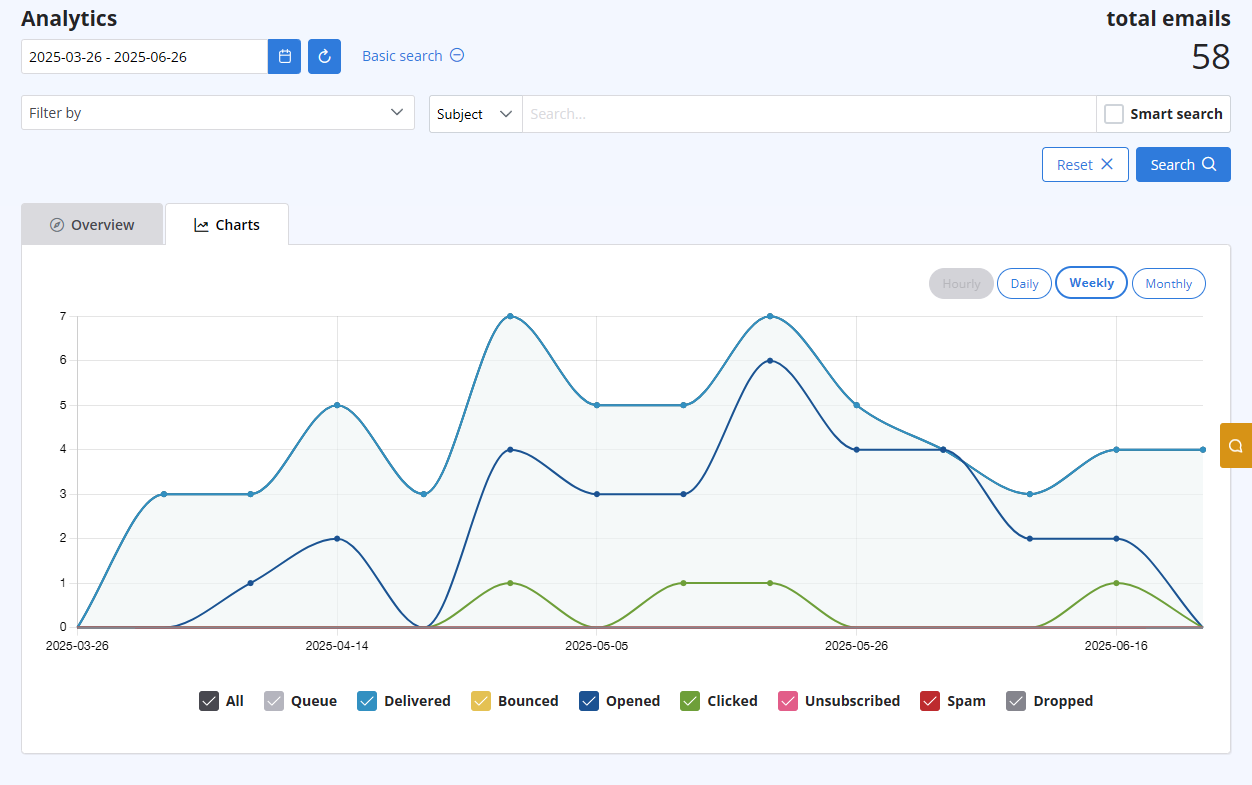
After logging in to your advanced client area, select the "Statistics" menu. You will get both a chart visualizing the behaviour of all your sent emails, and a list with all details recipient by recipient. Both are updated in real-time.
The list includes the following information:
- Subject
- Sender ("From" email address)
- Recipient "To", "cc", "Bcc" email address)
- Time (Date & Time received by our servers)
- Status (Queued - Delivered - Opened - Clicked - Unsubscribed - Spam - Bounce - Dropped).
Przeczytaj również
12. I have more than one email address. Should I open multiple accounts?
(Widoki: 1105782)
12. I have more than one email address. Should I open multiple accounts? (Widoki: 1105782)
14. How can I cancel the auto-renewal of my plan?
(Widoki: 649618)
14. How can I cancel the auto-renewal of my plan? (Widoki: 649618)
5. Do I need a Credit Card to activate a Free Trial?
(Widoki: 684504)
5. Do I need a Credit Card to activate a Free Trial? (Widoki: 684504)
20. My VAT number is not recognized when I pay using 2Checkout. Why?
(Widoki: 752541)
20. My VAT number is not recognized when I pay using 2Checkout. Why? (Widoki: 752541)
18. What types of payment do you accept?
(Widoki: 24239117)
18. What types of payment do you accept? (Widoki: 24239117)
|
|

