
Kennisbank
13. I want to change my plan. Can I do it?
You can order a new plan by following the steps below:
1. Log in to your dashboard.
2. Click on your name in the top right corner of the screen and select "My Products" from the dropdown menu.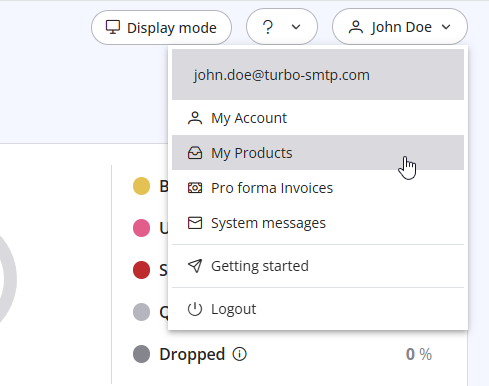
3. Click "Order New Plan" to proceed. 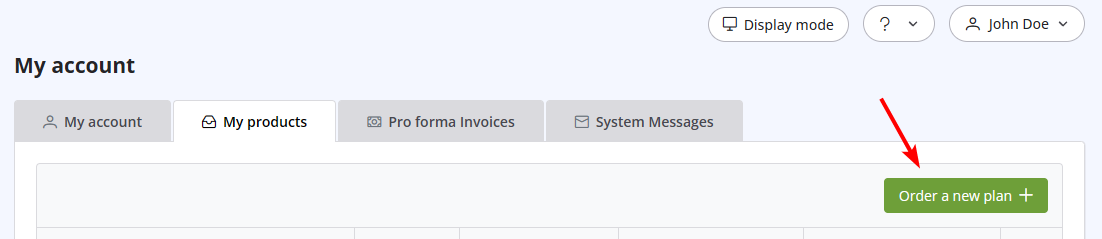
Lees ook
35. My ISP blocks outgoing mail on port 25. What can I do?
(Bekeken: 25376225)
35. My ISP blocks outgoing mail on port 25. What can I do? (Bekeken: 25376225)
24. How can I ask the permission to send a newsletter?
(Bekeken: 1009918)
24. How can I ask the permission to send a newsletter? (Bekeken: 1009918)
42. Terms and Conditions
(Bekeken: 1327467)
42. Terms and Conditions (Bekeken: 1327467)
38. I have renewed my plan, but the email counter hasn't updated yet. Why?
(Bekeken: 1179736)
38. I have renewed my plan, but the email counter hasn't updated yet. Why? (Bekeken: 1179736)
|
|

