
Knowledgebase
13. I want to change my plan. Can I do it?
You can order a new plan by following the steps below:
1. Log in to your dashboard.
2. Click on your name in the top right corner of the screen and select "My Products" from the dropdown menu.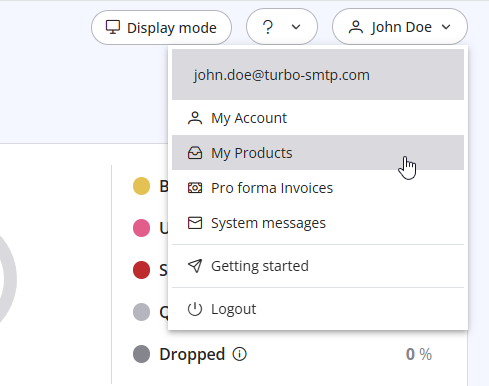
3. Click "Order New Plan" to proceed. 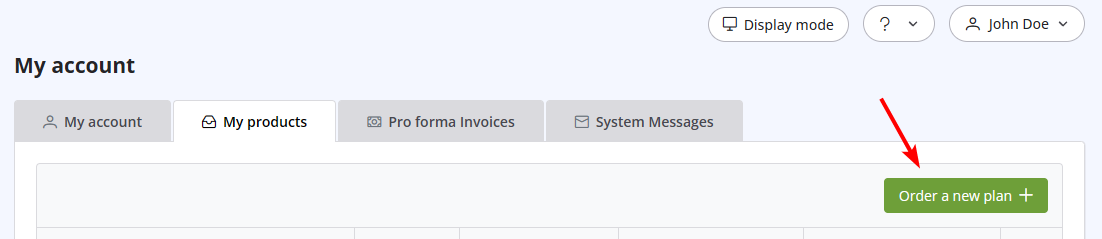
Also Read
6. Is the Free Trial automatically activated to all new accounts?
(Views: 1027632)
6. Is the Free Trial automatically activated to all new accounts? (Views: 1027632)
42. Terms and Conditions
(Views: 1358814)
42. Terms and Conditions (Views: 1358814)
30. Can I use turboSMTP with Outlook or Thunderbird and send a mass email via CC/BCC? (Views: 897074)
41. Privacy Policy
(Views: 1549559)
41. Privacy Policy (Views: 1549559)
|
|

