
Wissensdatenbank
Edit your sub accounts
Once you have set your sub accounts, you can always change their settings with a few clicks. As you can see, you have a complete control over every profile:
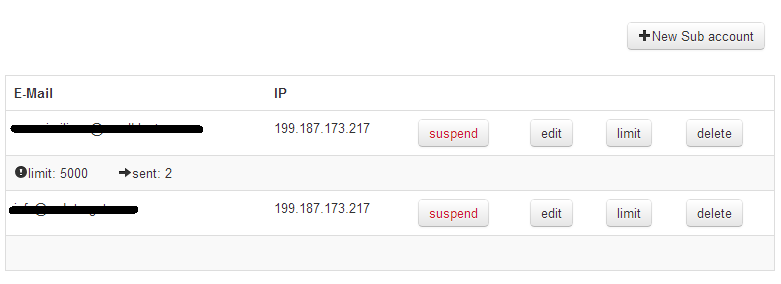
Click on "Suspend" to interrupt momentarily the sub user's email credit.
Click on "Edit" to change the sub user's details (company info, address, etc.)
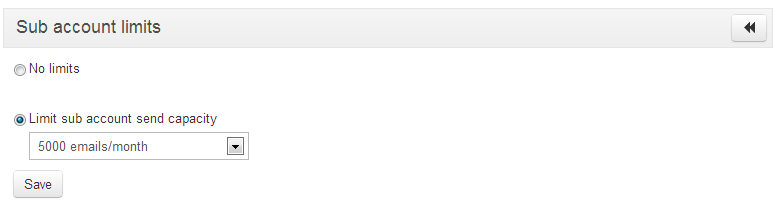
Click on "Limit" to put a cap to your sub user's monthly send capacity:
Click on "Delete" to cancel the sub account. The action is irreversible.
Also Read
Want to start an affiliation?
(Anzeigen: 72087)
Want to start an affiliation? (Anzeigen: 72087)
Resell or share the turboSMTP experience
(Anzeigen: 76808)
Resell or share the turboSMTP experience (Anzeigen: 76808)
How to create a sub account
(Anzeigen: 130871)
How to create a sub account (Anzeigen: 130871)
What it looks like
(Anzeigen: 76131)
What it looks like (Anzeigen: 76131)
Why create sub accounts
(Anzeigen: 84382)
Why create sub accounts (Anzeigen: 84382)
|
|

