
база знания
17. How do I keep track of sent emails?
With turboSMTP you can keep track of everything happens to your sent messages (delivery, bounce, opening, spam complaint etc.).
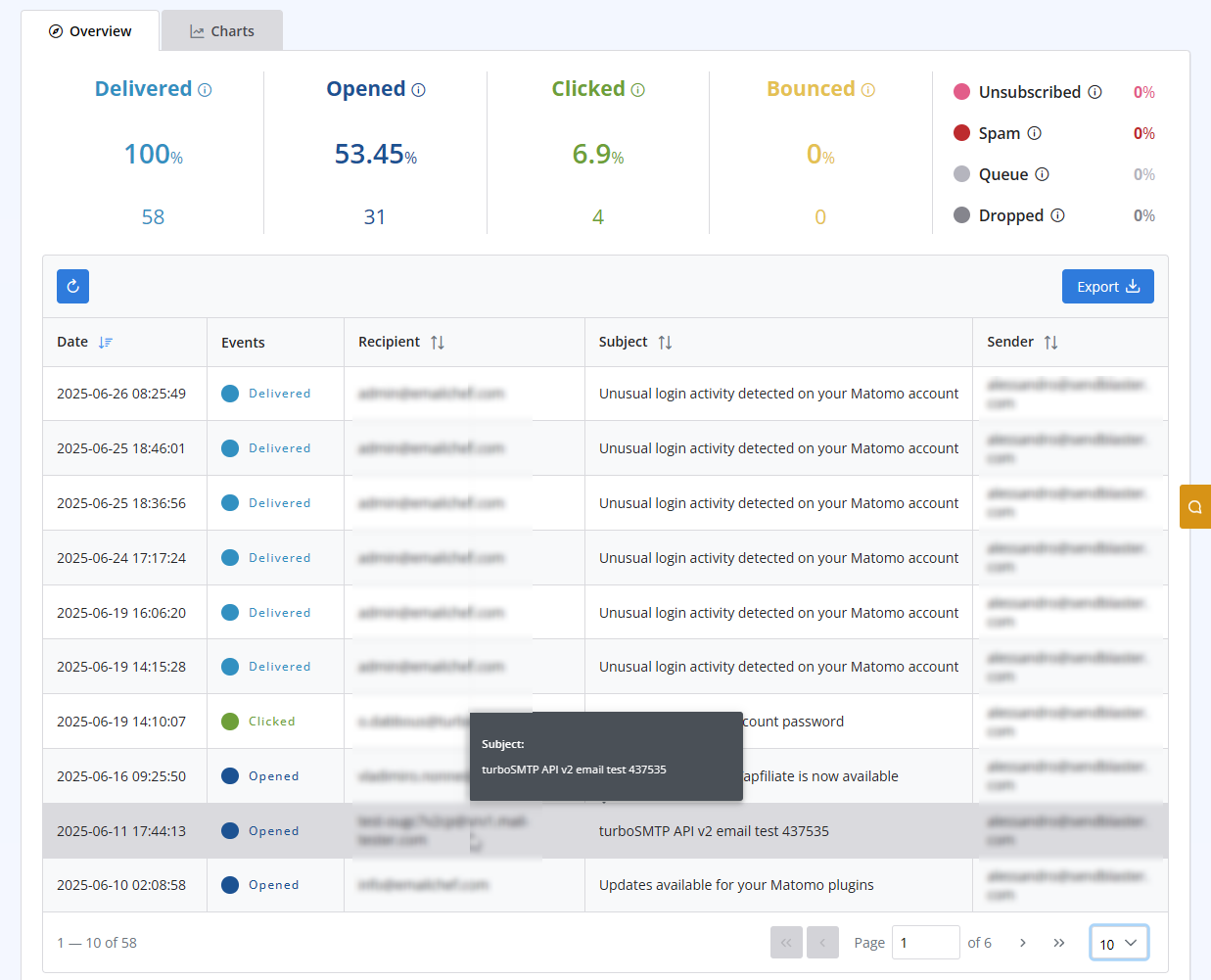
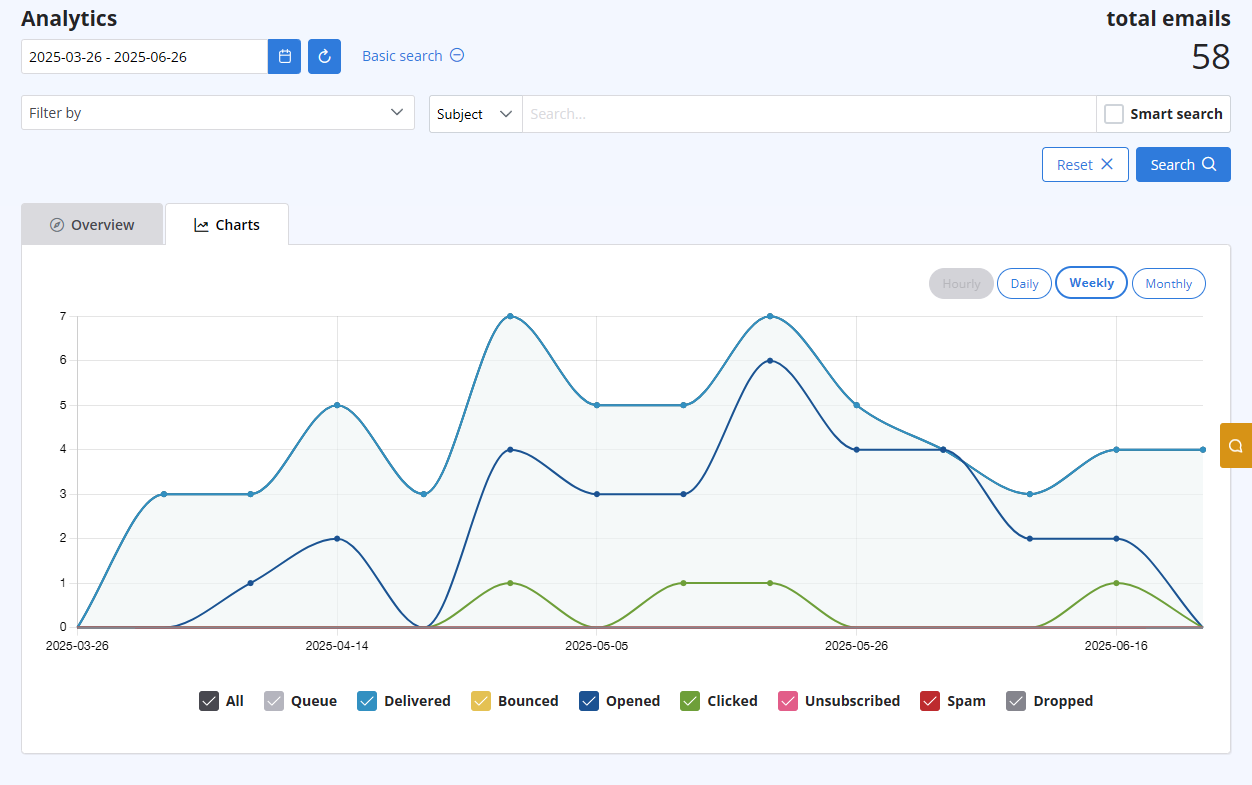
After logging in to your advanced client area, select the "Statistics" menu. You will get both a chart visualizing the behaviour of all your sent emails, and a list with all details recipient by recipient. Both are updated in real-time.
The list includes the following information:
- Subject
- Sender ("From" email address)
- Recipient "To", "cc", "Bcc" email address)
- Time (Date & Time received by our servers)
- Status (Queued - Delivered - Opened - Clicked - Unsubscribed - Spam - Bounce - Dropped).
Също Прочетено
7. Why my free account has been closed?
(Прегледи: 925362)
7. Why my free account has been closed? (Прегледи: 925362)
12. I have more than one email address. Should I open multiple accounts?
(Прегледи: 1436202)
12. I have more than one email address. Should I open multiple accounts? (Прегледи: 1436202)
8. Can I manage my account online?
(Прегледи: 1449701)
8. Can I manage my account online? (Прегледи: 1449701)
18. What types of payment do you accept?
(Прегледи: 24839804)
18. What types of payment do you accept? (Прегледи: 24839804)
26. Can I configure my DKIM, DMARC and SPF to get the highest delivery rates?
(Прегледи: 22174284)
26. Can I configure my DKIM, DMARC and SPF to get the highest delivery rates? (Прегледи: 22174284)
|
|

